


Volume Booster - Bass Booster
4.5375.00 Reviews
App Specs
- Version
- 11.3
- Updated On
- License
- Free
- Downloads
- 100,000+
- Developer
- KennyMedia
- Categories
- Personalization
- Platform
- Android
Screenshots
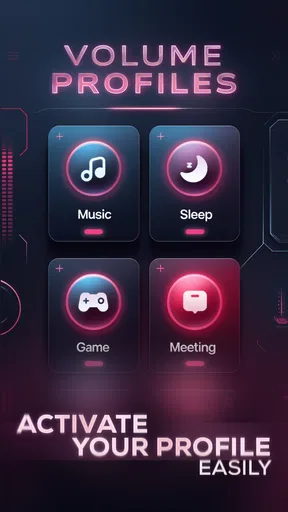
 Analysis by AppCompare
I often reach for a volume tool when a familiar pair of headphones sounds too quiet or a spoken track gets lost in background noise. Volume Booster - Bass Booster is a free Android personalization app from KennyMedia that aims to give listeners more control over loudness and tone. Its appeal is easy to understand: it puts volume adjustment and bass shaping in one place, so you can try changing the sound before deciding your device’s default output is all you can get.
That convenience does come with a caveat. A louder signal is not automatically a clearer or better one, and extra bass can make some audio harder to follow. I’d treat this as a listening adjustment tool, not a fix for weak headphones, damaged speakers, or a recording that was poor to begin with. Used thoughtfully, it can be useful; pushed too far, it can make sound harsher rather than more enjoyable.
What the free access means
The app is free to install, which makes it straightforward to try for a specific problem: perhaps your podcast is difficult to hear at a comfortable setting, or music feels thin through your usual headphones. There are in-app purchases listed at $12.99 per item, so free access and paid value should be kept distinct. I would start with the free experience and only consider spending if you find a clear benefit in your own routine; the listed purchase price alone does not tell me which paid option would suit you.
It has an average rating of 4.5 from around 7,200 ratings, with roughly 329 written reviews and over 100,000 installs. Those figures suggest that plenty of people have tried it and that feedback is generally positive, but they can’t predict how it will behave with your exact phone, headphones, or music app. I’d use them as context, not as a reason to turn every control up.
Cranking Up the Volume
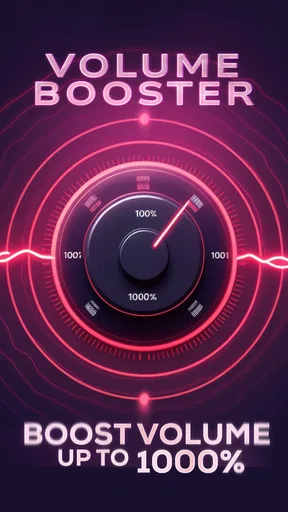
The first time I fired up the Volume Booster - Bass Booster, I was honestly a bit skeptical. Would an app really be able to enhance my phone’s audio beyond its factory settings? But, as soon as I started fiddling with the sliders, I could hear the immediate difference. The volume boost was not just noticeable; it was significant. Suddenly, my quiet tracks were vibrant, and the overall listening experience was much more immersive.
Easy to Use Interface
One of the first things you’ll appreciate about this app is its user-friendly interface. It’s designed with simplicity in mind, so you don’t need to be a tech guru to get the most out of it. With intuitive controls, you can easily adjust the volume and bass to your liking. It’s as simple as dragging a slider to find your perfect sound.
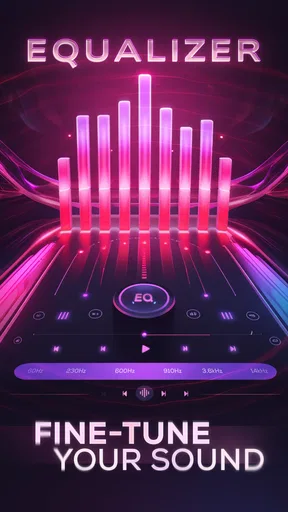
For those who love tweaking every little detail, the app offers more advanced settings. You can adjust the bass and volume independently, allowing you to tailor the sound to fit whatever you’re listening to, be it a bass-heavy EDM track or a soft acoustic ballad.
Worth Reading Before You Choose

EA SPORTS FC Mobile 26 Is a Bigger Football Game, but It Takes Time

Flipboard Shows What News Apps Must Do Beyond the Feed

Switching to Android Auto Means Rethinking Your Driving Routine

Google Calendar Makes a Crowded Week Easier to Manage

Ludo King Makes the Most of the Minutes Between Plans

Baby Panda World Brings Quick Play to Modern Phones, but Its Game Library Feels Busy
Getting a useful result without overdoing it
A practical way to use separate bass and volume controls is to change one at a time. I’d begin with the volume at a modest level, then listen to a familiar passage before adjusting bass. That makes it easier to tell whether the low end is genuinely adding weight or simply masking vocals and detail. A chorus with a strong beat is a poor test by itself; try a spoken voice or a quiet acoustic section as a countercheck.
For podcasts and audiobooks, I would usually prioritize intelligibility over impact. More bass can make a voice sound fuller, but it can also blur consonants, especially when the recording already has a warm or muffled tone. If a speaker remains unclear after a small adjustment, raising the boost further may not solve the real problem. Switching to a quieter environment, checking the headphone connection, or choosing a clearer recording can be the better move.
Enhancing the Bass
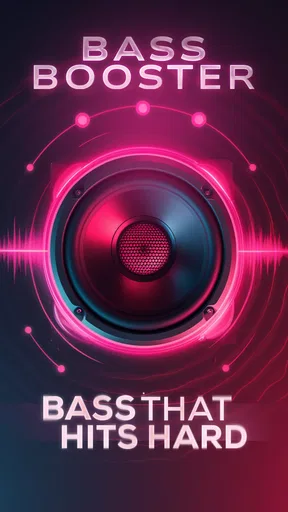
Now, let’s talk about one of the standout features: the bass booster. If you’ve ever felt that your music lacks that punchy bass that makes you want to nod along, this app has got you covered. The bass booster adds depth to your music, transforming a flat sound into something much more dynamic.
I tested it with a few different genres, and the results were impressive across the board. Rock tracks had an added punch, hip-hop beats felt fuller, and even classical music had a new richness to it. It’s like experiencing your music collection in a whole new way.
Matching adjustments to the listening situation
The right setting can change from one listening session to another. On a noisy commute, a small volume increase may help speech stand out, while bass enhancement can be unnecessary because low-frequency rumble around you already competes for attention. At home, where the background is quieter, a gentler level may preserve more detail. I would not set one aggressive adjustment and assume it works equally well everywhere.
A useful habit is to compare a short section at the default level and at your adjusted level, then lower the phone or headphone volume before removing your headphones. That avoids making a louder version seem automatically better simply because it is louder. If you swap from headphones to a speaker or another output, check the sound again rather than carrying over the same setting blindly.
Perfect for Any Audio
Whether you’re using headphones, Bluetooth speakers, or just the built-in speakers on your device, the Volume Booster - Bass Booster optimizes the audio output. I even tried it out in my car, and let me tell you, the difference was night and day. The app doesn’t discriminate between devices, ensuring that you get the best sound quality possible, no matter how you’re listening.
What’s more, it doesn’t just work with music. Podcasts, audiobooks, and videos all benefit from this app’s capabilities. Imagine not missing a single word of that gripping podcast episode, even amidst the hustle and bustle of your commute.
Where it fits among other audio options
Compared with the equalizer or sound controls already built into many phones and listening apps, a separate booster is most useful when you want a quick, centralized adjustment rather than a preset tied to one music service. The trade-off is that a device’s built-in controls may be simpler to manage alongside its normal output settings, while an extra app adds another place to check if the sound changes unexpectedly.
It is also different from replacing headphones or speakers. A more capable audio device can improve the underlying sound, whereas a booster changes how the existing output is presented. If your headphones distort at higher levels, or their fit blocks little outside noise, pushing volume is unlikely to be the best fix. For listeners who already like their equipment but want a little more control, this app is a more proportionate first experiment.
Staying Safe
While the app does a fantastic job of boosting volume, it also comes with a built-in safeguard to prevent you from damaging your hearing or your device’s speakers. It’s all about balance, and the app ensures you don’t go overboard with the volume increase. So, you can enjoy louder and clearer audio without worrying about the repercussions.
Plus, the developers have done a commendable job of keeping the app light and efficient. It runs smoothly without draining your battery or hogging your device’s resources. It’s a small app with a big impact.
Everyday fit and practical limits
One realistic use is listening to a quiet interview while preparing dinner: a small boost can make the conversation easier to follow without requiring constant volume changes between clips. I’d still keep the setting conservative if other people are nearby, and I would avoid using an extreme level to overcome loud machinery or traffic. In those conditions, pausing or finding a quieter place is safer and often more effective than competing with the noise.
Compatibility is another practical question. The app is for Android, is rated for Everyone, and version 11.3 requires Android 7.0 or later. That gives older supported Android devices a chance to run it, but the listening result can still depend on the phone’s audio path and the output device. If your phone already has a built-in equalizer that reliably controls the apps you use, you may not need a second tool. If you want quick access to independent volume and bass adjustments, the extra controls are the stronger reason to try it.
I would skip it if you want a guaranteed increase in sound quality, a replacement for a faulty speaker, or a tool that can make every recording clearer. A volume app cannot restore detail that was never captured, and bass is a matter of taste rather than a universal improvement. It may also be a poor fit if you prefer leaving audio entirely untouched or do not want to manage another adjustment alongside your regular playback controls.
Final Thoughts
All in all, the Volume Booster - Bass Booster is a must-have for anyone who loves their audio. It takes your listening experience to the next level with ease and simplicity. Whether you’re a casual listener or an audiophile, this app offers something for everyone.
Ready to give it a try? You can download it from your preferred app store and start enjoying a richer, fuller sound today. Trust me, once you’ve experienced the boost, you won’t want to go back to the default settings. So, what are you waiting for? Turn it up!
My buy-or-skip verdict
My recommendation is to try the free version if you have a specific, recurring need: quiet spoken audio, a sound profile that feels too light, or a desire to adjust bass separately from volume. KennyMedia’s app has a focused purpose, and its controls are most valuable when used in small, deliberate changes rather than as a permanent maximum-volume switch. It is aimed at Android users, and its personalization category makes sense because the benefit is about shaping how your device sounds to you.
I would not pay simply because an in-app purchase is available. First check whether the free access already solves the problem you downloaded it for, then decide whether any paid option offers enough additional value for your own listening habits. For a casual listener who needs an occasional nudge, free may be sufficient; for someone seeking dependable audio correction or hardware-level improvement, a different solution is more appropriate. That is the distinction I’d keep in mind before installing or spending.
Pros
- Enhances audio quality significantly.
- Simple and intuitive user interface.
- Compatible with various media players.
- Customizable sound settings.
- Low resource consumption.
Cons
- May distort sound at high volumes.
- Ads can be intrusive at times.
- Limited features in free version.
- Not all devices are supported.
- Potential to damage speakers.
FAQs for Volume Booster - Bass Booster
What is Volume Booster - Bass Booster and how does it work?
Volume Booster - Bass Booster is an audio enhancement app designed to amplify the sound output of your device. It works by increasing the volume beyond the usual limits and providing a deeper bass experience. The app modifies the audio output settings to deliver a more immersive sound experience for music, videos, and calls.
Is Volume Booster - Bass Booster safe to use on my phone?
Yes, Volume Booster - Bass Booster is safe to use. However, it's crucial to use it responsibly to prevent potential damage to your device's speakers or hearing. Over-amplifying sound can cause distortion or long-term damage, so it's advised to use the app at moderate levels.
Does Volume Booster - Bass Booster work with all media apps?
Volume Booster - Bass Booster is compatible with most media apps, including music players, streaming services, and video apps. It enhances the audio output for any app that plays sound on your device, allowing you to enjoy a richer audio experience across various platforms.
Are there any in-app purchases or ads in Volume Booster - Bass Booster?
Volume Booster - Bass Booster typically offers a free version with ads and optional in-app purchases. These purchases may include ad removal or additional features for an enhanced experience. The presence of ads can vary depending on the version and platform you are using.
Can Volume Booster - Bass Booster drain my battery quickly?
While Volume Booster - Bass Booster is designed to optimize performance, it may slightly increase battery usage due to the higher power demands for enhanced audio output. To conserve battery life, use the app judiciously and close it when not in use. Monitoring your device's battery health is also recommended.


